

























Remote sites are increasingly deploying CCTV and computer vision to improve safety, monitor operations, and secure critical infrastructure. But when video is streamed or backhauled over Starlink internet, costs can escalate quickly, especially if remote site cameras are configured at higher resolutions than needed.
The good news:
With the right configuration and architecture, you can dramatically reduce Starlink data consumption without sacrificing video quality or functionality.
This guide covers the most cost‑effective Starlink setup for CCTV, based on engineering best practices and real‑world deployments, and provides an overview on how Speedcast’s SIGMA and SmartView deliver even greater efficiency for bandwidth‑intensive sites.

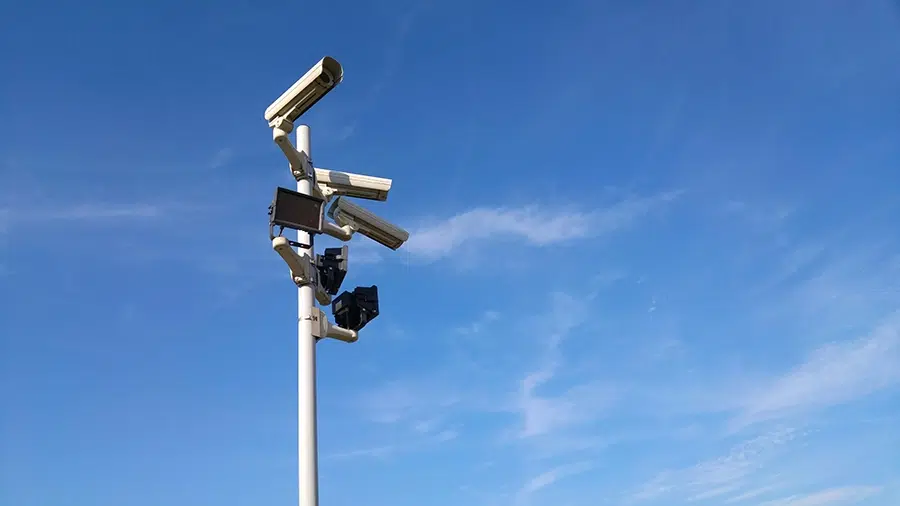
Why CCTV Uses So Much Data?
A big misconception with remote site surveillance is that CCTV or camera data usage is determined by the network type, e.g. Starlink vs. GEO VSAT vs. MSS vs. LTE.
It’s not.
Your data cost is driven almost entirely by how your cameras are configured, including:
- Resolution
- Bitrate
- Frame rate (FPS)
- Compression (H.264 vs. H.265)
- Number of cameras
- Whether footage streams continuously
- Whether video is stored locally or pushed to the cloud
Before you optimize costs, you must first understand the true data load.
How Much Data Does CCTV Really Consume?
Here’s what a single camera consumes when streaming 24/7 for 30 days:
| Video Quality | Bitrate | Monthly Usage |
| 480p | 1.5 Mbps | ~480 GB |
| 720p | 3 Mbps | ~1 TB |
| 1080p | 6 Mbps | ~1.9 TB |
| 1080p (High Quality) | 12 Mbps | ~3.9 TB |
| 4K (Standard) | 15 Mbps | ~4.8 TB |
| 4K (High Motion) | 25 Mbps | ~8.1 TB |
Multiply this by 5, 10, or 50 cameras and you quickly see how Starlink data plans become expensive.
Top Starlink Setup to Lower CCTV Data Fees
And if you don’t have the in‑house resources to manage all of this, the entire setup can be handled for you by a trusted technology partner or systems integrator, ensuring everything is configured correctly and maintained for long‑term efficiency.
Here’s the ideal CCTV baseline setup for cost‑optimized Starlink enterprise plans:
- Use 720p Instead of 1080p or 4K
720p still provides clear visuals for most security use cases while cutting bandwidth requirements by 50–75%. - Reduce FPS to 15
For most surveillance, 15 FPS is visually smooth and dramatically reduces bitrate. - Use H.264 for lower CPU load, or H.265 for lower bandwidthStore Footage Locally Instead of Streaming
- H.264: more CPU‑friendly
- H.265: saves up to 30–50% bandwidth
For Starlink sites, H.265 is ideal if your camera hardware supports it.
- Customers often assume they need all footage in the cloud. You don’t.
Local recording can lead to massive cost savings.
If only event clips or metadata are sent upstream, data consumption can drop significantly.
- Use Edge Processing for Computer Vision
Instead of sending full video streams:
-
- Run analytics locally
- Send only alerts, metadata, or low‑rate thumbnails
- Forward high‑quality clips only when needed
This is one of the biggest cost reducers for Starlink deployments.
- Stream Only When You Need It
Ask yourself: Do you really need 24/7 live view?
Options that save bandwidth:
-
- Motion‑triggered streaming
- Scheduled live view (e.g., 1–2 hours/day)
- Lower‑res live view with high‑res local recording
How SIGMA and SmartView Reduce Starlink Data Even Further
Starlink on its own won’t optimize video traffic. This is where Speedcast’s SIGMA and SmartView come in.
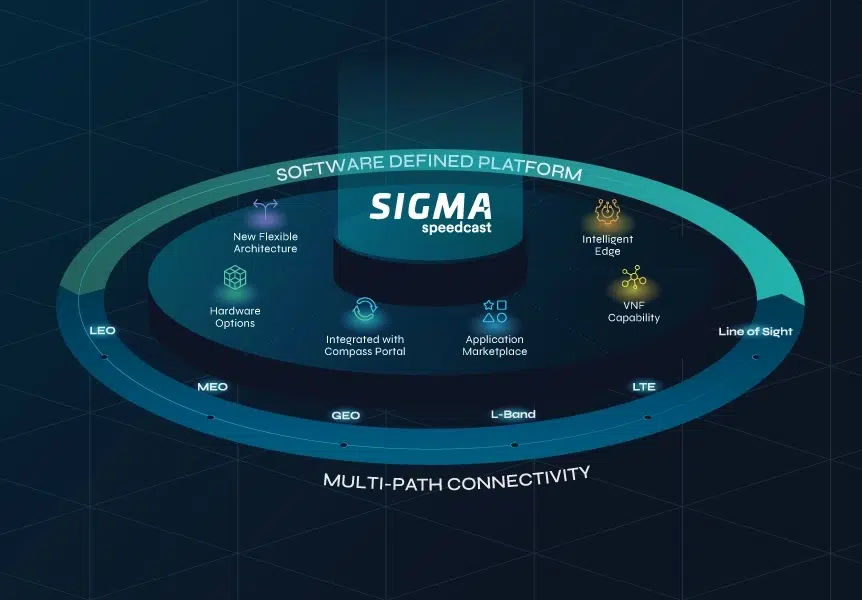
SIGMA — Intelligent Edge Networking for Camera Traffic
SIGMA ensures video only uses the bandwidth it actually needs through:
- Intelligent routing across multiple networks, from GEO, MEO, and LEO satellite, including Starlink and Eutelsat OneWeb, to fiber, microwave, and cellular
- Application‑aware prioritization for CCTV
- Traffic shaping to prevent data over‑use
- Local processing options for computer vision
- 100% uptime across multi‑path networks
SIGMA is designed for bandwidth‑sensitive CCTV workloads.
SmartView — Satellite‑Optimized Video for Remote Sites
SmartView is ideal for Starlink sites that need surveillance but want to avoid high data fees.
Key benefits:
- Satellite‑optimized CODECs
- Operates from 1 kbps to UHD depending on requirement
- Supports CCTV, live monitoring, and advanced computer vision
- Perfect for low-bandwidth environments
- Reduces need to transmit full-resolution streams over Starlink


The Best Starlink Setup Minimizes What You Send, Not What You See
As a Tier 1 Starlink Authorized Integrator, we guide our customers to understand that the right data plan involves far more than simply choosing a Starlink tier. It’s about:
- Designing the right camera configuration
- Processing video locally
- Sending only what you need
- Using the right edge and video platforms (Speedcast SIGMA and SmartView)
With the right setup, you can achieve:
- High-quality CCTV
- Reliable computer vision
- Low Starlink data fees
- A scalable architecture for remote, distributed sites
Want help designing a cost‑efficient Starlink CCTV or computer‑vision solution?
Contact Speedcast.